Cancellations

Can I cancel my ConneX booking?

Yes, you can cancel your ConneX booking from the ConneX Trip Details screen if your booking is still eligible for in-app cancellation.

To cancel:

  • Open your ConneX Trip Details
  • Tap Cancel Trip
  • Confirm cancellation
  • Select a cancellation reason

Why can’t I cancel in the app?

In-app cancellation is only available while your booking is still eligible for a refund.

If the trip is too close to departure:

  • The app may redirect you to Customer Support
  • Refund eligibility will follow the ConneX Cancellation Policy

Will I be charged if I cancel?

Cancellation fees may apply depending on how close you are to your scheduled pickup time.
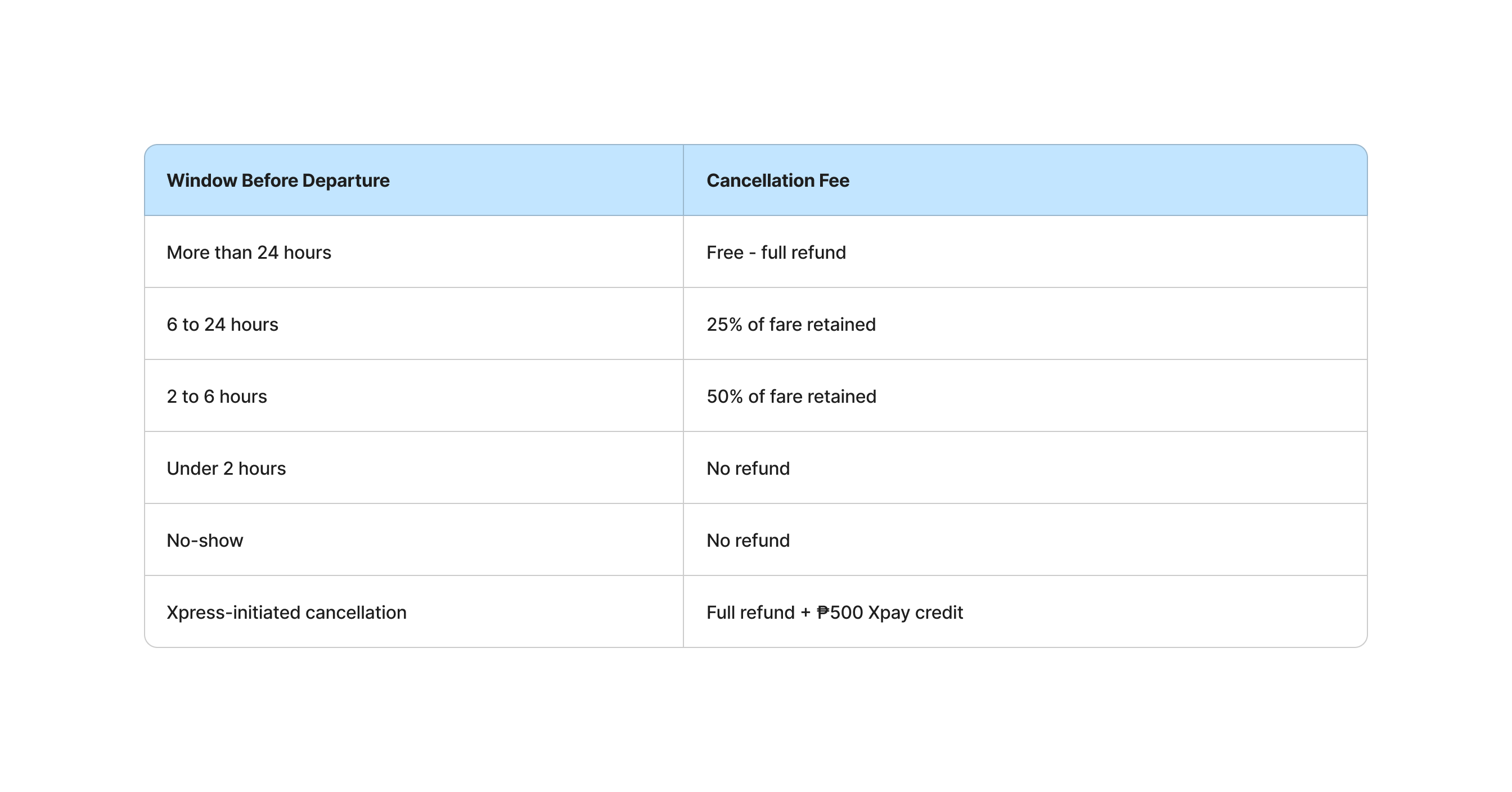
Please check the ConneX Cancellation Policy for:

  • Refund eligibility
  • Cancellation fees
  • No-show rules
  • Xpress-initiated cancellation handling

What cancellation reasons can I choose?

You may choose from:

  • Changed plans
  • Booked wrong date
  • Booked wrong route
  • Emergency
  • Other

If you choose Other, you may be asked to enter your reason.

What happens after I cancel?

After cancellation:

  • Your booking status will update to Cancelled
  • The trip will appear in your Activity history
  • Refunds or charges will follow the ConneX Cancellation Policy
  • Payment/refund details may appear in the trip details, if applicable